
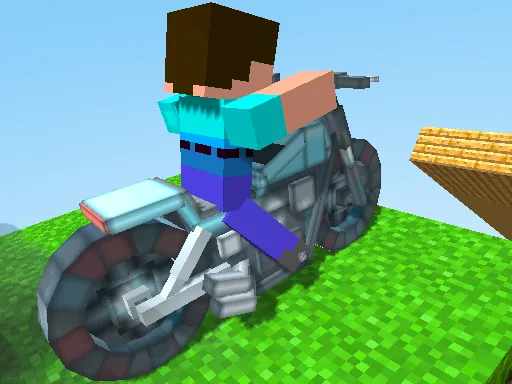
Crazy Motorcycle
Play Crazy Motorcycle Free Online
Crazy Motorcycle is a 3D motorcycle obstacle course built around balance, timing, and controlled risk. You ride through a block-style environment filled with narrow platforms, gaps, raised sections, and obstacles that punish careless speed. The route can look simple from a distance, yet every landing asks you to manage the bike's direction and momentum at the same time. A successful run comes from making small corrections before a mistake becomes a fall.
The game suits players who want a free online motorcycle game with a clear arcade goal. You do not need a long tutorial to understand the basic loop: ride forward, line up the next platform, jump when the gap requires it, and keep the bike on the course. The challenge is learning when speed helps and when speed makes the next landing too difficult to control.
Read the 3D Course Before You Ride
The camera shows more than the immediate obstacle, so use that information. A narrow platform may lead to a wider landing area, while a wide platform may end with a sharp gap that requires a straight approach. Look at the next two sections whenever possible and decide whether to stay centered, move to one side, or slow down before the jump.
The block-style design makes edges easy to identify, but it also makes small alignment errors important. If the front wheel reaches a gap at an angle, the bike may leave the course even when the distance is manageable. Treat each platform as a place to reset your line rather than as a reason to hold the same input continuously.
Main Features
- 3D motorcycle course: Ride across elevated blocks, narrow paths, ramps, and separated platforms.
- Jump-based obstacles: Use jumps to cross gaps and clear sections that cannot be driven through directly.
- Precision riding: Balance speed, direction, and landing position through changing layouts.
- Desktop controls: Use W/A/S/D or the Arrow keys, with Space for jumping.
- Touch support: Mobile devices can use the on-screen joystick and action buttons when provided.
How to Play Crazy Motorcycle
On PC, use W, A, S, and D or the Arrow keys to guide the motorcycle. Press Space to jump when the route requires it. Start with gentle steering and keep the bike centered on broad platforms. Before a gap, line up with the middle of the destination rather than the near corner. A short, stable approach often gives a better landing than a last-second turn at full speed.
When an obstacle blocks the direct line, decide whether to slow down, move around it, or jump over it. Avoid changing direction repeatedly while the bike is airborne; prepare the landing before leaving the platform. On mobile, use the visible joystick and buttons, and make deliberate inputs so the bike does not drift off a narrow edge.
Crazy Motorcycle Strategy Tips
- Center the bike early: Alignment is easier on the current platform than during a jump.
- Separate speed from progress: A faster approach is useful only when you can still see and control the landing.
- Aim for the middle of the next block: The center gives you room to correct after touching down.
- Brake your reactions in the air: Make small adjustments and avoid panic steering after a jump begins.
- Replay difficult gaps: Use each failed attempt to learn the needed approach angle and takeoff position.
Course Progression and Replay
Obstacle courses become more interesting when the player begins to recognize patterns. One section may test a simple gap, while the next combines a narrow landing with an obstacle that changes the ideal approach. After reaching a later checkpoint or section, return to the earlier route and try to reduce hesitation. Cleaner lines make the motorcycle easier to control and can turn a difficult sequence into a repeatable routine.
Crazy Motorcycle also works as a quick reflex session. You can play for a few minutes to practice one jump, or continue longer to see how consistently you can maintain a line through the full course. The visible course gives immediate feedback, so every fall points to a specific correction.
Browser Play on PC and Mobile
Play this free 3D motorcycle game in a current browser. Click inside the game frame before using keyboard input, and wait for the course to finish loading. Desktop players should keep both the bike and the next platform in view. On mobile, landscape orientation can make narrow paths easier to read, but the actual control layout depends on the game and device.
Frequently Asked Questions
What is Crazy Motorcycle? It is a 3D motorcycle obstacle course where you ride across narrow platforms, jump gaps, and avoid obstacles.
What are the PC controls? Use W/A/S/D or the Arrow keys to ride, and press Space to jump.
Can I play on mobile? The game provides an on-screen joystick and buttons on supported touch devices.
How do I avoid falling? Align the motorcycle before the jump, aim for the center of the next platform, and use small corrections instead of sudden turns.
Is Crazy Motorcycle a racing game? It is primarily an obstacle-course riding game. The main challenge is reaching the next section safely and improving your control.