
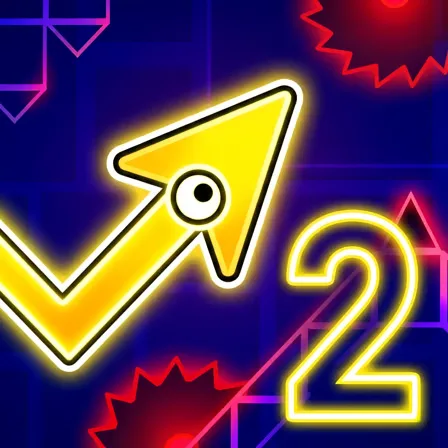
Geometry Arrow 2
🚨 Geometry Arrow 2 Review: Play This Free Online Geometry Dash Style Game
Geometry Arrow 2 is a fast browser action game about guiding an arrow through sharp geometric hazards. The controls are simple, but the timing is exact: press too long, release too early, and the flight line falls apart.
It is aimed at players searching for Geometry Dash style games, free browser reflex games, or no download games with quick retries. The appeal is the same focused loop: fail, learn the rhythm, and push a little farther next time.
⚔️ Precision arrow movement through narrow hazards
The arrow rises and falls based on your input, so every tap changes the flight path. Wide areas give you time to reset the line, while narrow corridors ask for smaller, more controlled movements.
The game becomes easier when you stop reacting only to the obstacle in front of you. Watch the right side of the screen, prepare the next input early, and use each failed attempt as a map of what is coming next.
🎮 Key Features of Geometry Arrow 2
- Geometry Dash inspired speed and hazard design
- One-button control that still demands precision
- Narrow corridor navigation and quick restarts
- Free no download browser play
- A strong pick for players who enjoy rhythm-based reflex games
🏆 Strategy Tips for Better Runs
Tip 1. Watch the next obstacle, not only the arrow.
Tip 2. Keep taps consistent so the flight path stays predictable.
Tip 3. In tight corridors, use small corrections instead of big swings.
Tip 4. Treat repeated failures as timing practice for the same pattern.
The most useful habit is to treat every failed attempt as information. Geometry Dash style games look simple because the input is usually one button, but the real skill is timing, release control, route memory, and where you look on the screen. Instead of restarting on autopilot, remember the obstacle that broke the rhythm and adjust one detail on the next attempt. A shorter tap, an earlier press, or a calmer center line can completely change the run.
⭐ Why Geometry Arrow 2 Is Worth Playing
Geometry Arrow 2 captures the reason Geometry Dash style games are so replayable. The rules are clear, mistakes are instant, and improvement feels measurable each time you survive a difficult section.
Because it runs directly in the browser, it also fits quick sessions. Players searching for Geometry Dash free online games, Geometry Dash browser games, Geometry Arrow games, rhythm action games, one-button reflex games, no download games, or instant play obstacle games can start without installing an app or creating an account. The page is written to explain the challenge style, controls, timing tips, and replay value before the first attempt.
It is also worth noting that Geometry Dash style games are not all the same. Some focus on jumps, some on arrow flight, some on rhythm memory, and some on tight precision through narrow tunnels. This page is written to make that challenge style clear before you press play, so you can understand whether the game rewards steady timing, short taps, route memory, or careful press-and-release control.
⌨️ Controls and Recommended Play Style
Use left click, Space, or the up arrow on desktop. On mobile, tap the screen. Control the arrow carefully and avoid every wall, spike, and geometric obstacle.
Start by learning the basic movement, then focus on safer routes and cleaner timing. Once the controls feel natural, the game becomes less about random reactions and more about reading the board, choosing better lines, and improving one attempt at a time.