
Iron Snout
Play Iron Snout Online for Free
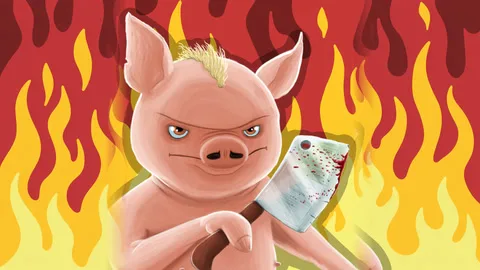
Iron Snout is a free action fighting game where a small pig fighter faces a continuous stream of wolves. The controls use the four arrow keys, but the decision space is much richer than the button count suggests. Enemies approach from both sides, weapons can fly across the screen, and the correct response depends on direction, timing, and the fighter's current position.
A Reflex Game Built Around Direction
The central skill is reading where the next threat will arrive. A wolf on the left requires a different response from a wolf on the right, while an airborne weapon may call for a jump or a lower stance. Attacking too early can leave you facing the wrong side, and waiting too long allows several threats to overlap. The best runs therefore use short decisions made at the last safe moment rather than constant button mashing.
Iron Snout also gives the basic wave loop several settings. Classic play is useful for learning the rhythm, Sudden Death makes each mistake feel more severe, and different areas such as the city and forest change the visual pattern of threats. A two-player Wolfie Ball mode adds a separate way to play with a friend.
Main Features
- Four-direction combat: Use the arrow keys to attack or evade threats from different angles.
- Increasing enemy pressure: Wolves arrive in sequences that become harder to read as survival time grows.
- Weapons in the arena: Knives, chainsaws, axes, and other thrown hazards change the timing of a response.
- Multiple modes and areas: Classic, Sudden Death, city, forest, and the two-player Wolfie Ball mode offer different goals.
- Short score attempts: Start a fight immediately and chase a longer survival record after each defeat.
How to Play Iron Snout
Use the Up, Down, Left, and Right Arrow keys to move, attack, jump, or duck according to the situation. Watch the side from which a wolf enters, then press the matching response just before contact. Jump over a low threat or incoming weapon when the game indicates that action, and use a fast attack to interrupt an enemy when the opening is clear. Keep checking both sides after every hit because the next wolf may already be moving in.
Iron Snout Strategy Tips
- Read the edge of the screen: The first hint of a wolf's direction gives you time to choose the correct arrow.
- Do not overreact: A premature turn can put the pig in the path of a second enemy.
- Treat thrown weapons separately: A wolf and an axe may arrive together, so identify whether jumping, ducking, or attacking solves the larger danger.
- Learn one area at a time: The city and forest have different visual rhythms; build confidence before chasing the toughest mode.
Modes and Replay Value
Iron Snout is ideal for players who enjoy arcade survival and high-score games. A new run begins quickly, and each defeat reveals whether the problem was a late reaction, the wrong direction, or a failure to notice the second threat. Classic mode offers a readable starting point, while Sudden Death and the two-player option change the pressure without losing the simple arrow-key foundation.
Browser Play
Play this free fighting game in a current desktop browser with the keyboard. Click inside the game frame before using the arrow keys so the game receives focus. The two-player Wolfie Ball mode needs enough keyboard space for both players, and a stable browser window makes fast side-to-side threats easier to see.
Frequently Asked Questions
What is Iron Snout? It is a fast action game about controlling a pig fighter against waves of wolves and thrown weapons.
What are the controls? The game uses the Up, Down, Left, and Right Arrow keys for its combat actions.
Is there a two-player mode? Yes. Wolfie Ball provides a two-player option when selected in the game.
How do I survive longer? React to the enemy's direction, keep both sides visible, and avoid pressing a response before you know which threat is closest.