
Veck.io
Play Veck.io Free Online
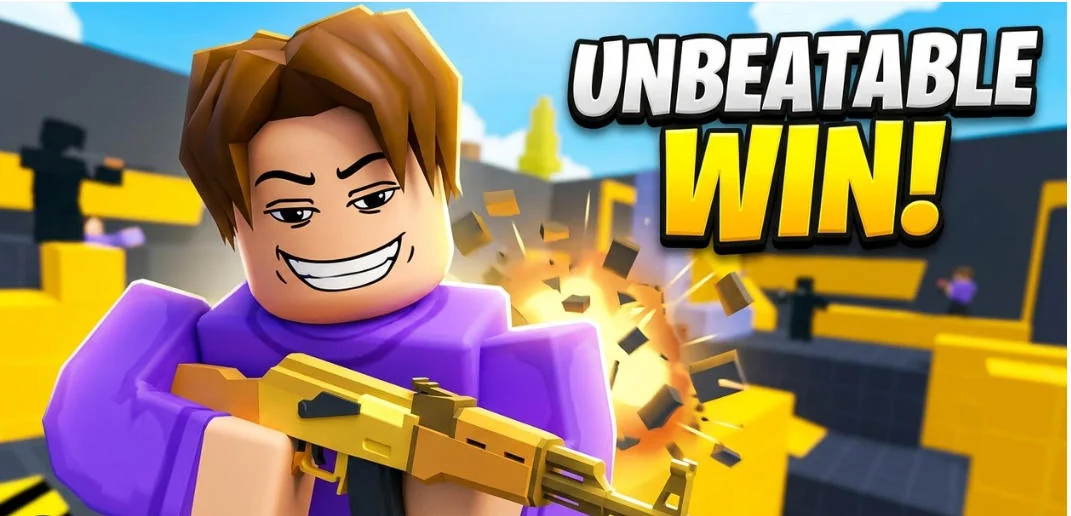
Veck.io is a fast 3D multiplayer first-person shooter that brings short arena matches to the browser. Choose a mode from the game hub, enter a live match, and use movement, aim, and weapon choice to outplay opponents. The available formats include free-for-all, duels, small team battles, and gun-game challenges. Private rooms and social features are also shown in the hub, though the current match and server availability can change.
The game includes a broad arsenal, from familiar rifles and pistols to close-range and unusual weapons. That variety rewards learning how a weapon behaves rather than relying on one approach for every map. Use the practice area or weapon selection menus when available, then carry what you learn into a live match. A quick movement tool such as a slide can help change your angle, but predictable movement makes you easier to track.
Pick a Mode and Read the Arena
Free-for-all puts every player in the same competition, while team modes make positioning and target selection more important. In a duel, the next encounter may come quickly, so use cover and avoid repeating the same route. Before a match begins, check the selected mode and map, then make sure you know how to reload, aim down sights, and switch weapons.
The menu also includes practice, weapon, server, and social options. Availability can vary as players join or leave, so a room that is quiet now may fill later. If your first match feels too fast, spend a little time learning movement and weapon timing in a lower-pressure area.
Main Features
- Real-time FPS matches: Play against other players in browser arenas.
- Multiple modes: Choose free-for-all, 1v1, 2v2, 3v3, 4v4, or gun-game options when available.
- Large weapon selection: Explore rifles, pistols, snipers, launchers, bows, melee, and throwable equipment.
- Movement options: Jump and slide to change position and avoid predictable paths.
- Practice and loadout menus: Learn equipment and adjust your approach between matches.
- Private rooms and social features: Use the hub's current options to play with friends or connect with others.
- Keyboard and mouse controls: Precise aiming and movement are designed for desktop play.
How to Play Veck.io
Move with WASD. Press Space to jump and Shift or C to slide. Use the left mouse button to fire and right click or E to aim down sights. Enter opens chat; P or Escape pauses. Pick a mode from the hub and follow the in-game prompts for weapon selection, servers, and room options. The menu or settings may offer additional information as the game updates, so verify the current controls before a match.
Veck.io FPS Tips
- Warm up with movement: Learn how far a slide carries you before using it near an opponent.
- Change your route: Repeating the same corridor makes your next appearance predictable.
- Aim before peeking: Set your crosshair near likely player positions before exposing yourself.
- Match the weapon to the distance: Use the weapon menu to understand which choices suit close or longer engagements.
- Use cover between shots: A short reposition can be safer than standing still to finish a reload.
- Play the mode's objective: Team matches reward coordination, while free-for-all demands awareness in every direction.
Fast Matches and Room to Improve
The appeal of Veck.io is the small loop between menu and match. You can jump into a quick FPS round, try a different mode, and gradually learn how movement and weapons interact. A large weapon list provides experimentation, while private rooms and team formats offer a more coordinated option when friends are online. Since live servers and player counts change, use the game's own hub to see which matches are currently available.
Frequently Asked Questions
What type of game is Veck.io? It is a browser-based multiplayer 3D first-person shooter.
Which modes can I play? The hub lists FFA, 1v1 through 4v4, and gun-game challenges when available.
What are the controls? WASD moves, Space jumps, Shift or C slides, mouse buttons shoot and aim, and Enter opens chat.
Can I play with friends? Private-room and social options are available in the game hub; check the current lobby for room access.
Does it have practice options? The game hub includes practice and weapon menus for learning equipment before a match.