
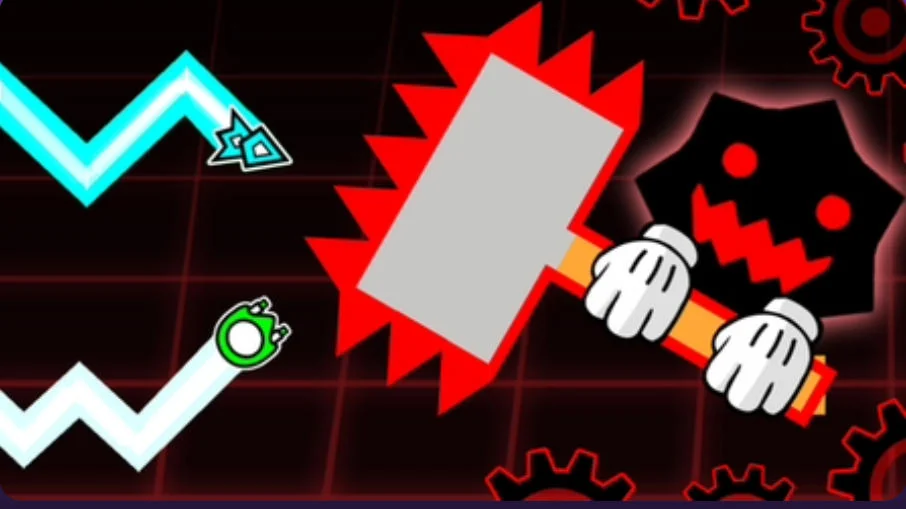
Geometry Wave: Online Editor
Play Geometry Wave: Online Editor Free Online
Geometry Wave: Online Editor combines precision wave movement with a level-creation playground. Guide a zigzagging wave through narrow passages, spikes, and carefully timed turns, then explore the editor side of the game to build or browse custom challenges. It is a Geometry Dash-style browser game focused on the wave mechanic rather than a standard auto-running cube stage.
The central challenge is controlling vertical movement while the wave continues forward. A short press changes the line upward; releasing sends it down. This makes small timing adjustments more useful than long, panicked holds. The level editor and community-created stages add a second reason to play: after learning a route, you can look for a different pattern or test a design of your own.
Read the Corridor, Not Just the Wave
Look toward the next bend and identify how much vertical room remains. If a passage narrows, use brief inputs to keep the wave centered instead of waiting until the obstacle is already beside you. Practice mode is useful for isolating a difficult stretch: place a checkpoint, repeat the movement, and remove the checkpoint when you are ready to attempt the full section.
Main Features
- Wave-based movement: Hold to travel upward and release to move downward.
- Obstacle courses: Navigate spikes, tight channels, and quick direction changes.
- Playable stages: Progress through designed levels and learn their timing patterns.
- Level editor: Build custom routes and experiment with obstacle placement.
- Community content: Explore player-made challenges and use ratings to find levels to try.
- Practice checkpoints: Rehearse difficult sections without repeating the entire run each time.
- Collectible rewards: Completing levels can award stars, coins, or crystals in the game.
How to Play Geometry Wave
Press W, Space, Up Arrow, or the left mouse button to send the wave upward. Release the input to descend. Move through each corridor without touching its hazards and reach the level exit. In practice mode, use X to set a checkpoint and Z to remove one, as shown in the game's controls. For the editor, follow the visible tool prompts, test the route, and review it from the beginning before publishing or sharing a challenge.
Tips for Difficult Wave Sections
- Use short pulses: Small corrections are easier to control in a narrow corridor.
- Look one turn ahead: Decide whether the next movement needs to rise or fall before reaching the corner.
- Practice the transition: Checkpoints help you focus on the part that repeatedly ends a run.
- Learn a level's rhythm: Patterns often become easier after you recognize how turns are spaced.
- Test editor routes thoroughly: A level should be navigable, not merely visually interesting.
Play, Practice, and Create
The editor changes the experience from a single obstacle run into a cycle of discovery and design. Playing community levels exposes you to different corridor shapes and timing ideas. Building a stage asks you to think from the other side: can another player read the path, and does the difficulty come from deliberate timing rather than an unclear layout? Whether you are trying to clear a hard section or make a new one, the same wave control is the foundation.
Frequently Asked Questions
What is Geometry Wave: Online Editor? A wave-control platform game with playable levels and an editor for custom courses.
How do I move upward and downward? Hold W, Space, Up Arrow, or left click to rise; release to descend.
Can I practice one difficult section? Practice mode provides checkpoints for rehearsing parts of a level.
Can I play levels made by other players? The game includes community-created levels to explore.
Is it the official Geometry Dash game? No. It is a separate Geometry Dash-inspired wave game and editor.