
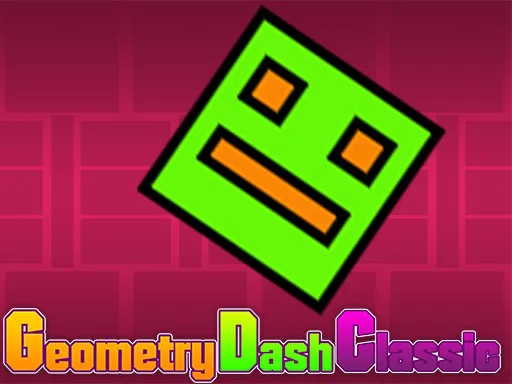
Geometry Dash Classic
Play Geometry Dash Classic Online for Free
Geometry Dash Classic is a free browser rhythm game for players who enjoy precise jumps, bright geometric stages, and instant retries. Guide the cube through spikes, gaps, moving platforms, and trap-filled paths while the music helps establish a rhythm. The action is easy to understand from the first input, but completing a full run requires you to turn repeated mistakes into reliable timing.
About Geometry Dash Classic
The classic formula is built around automatic forward movement and a single decisive jump input. You are always preparing for the next obstacle, so a successful run depends on reading the pattern before it reaches the cube. Music and visual rhythm work together, but the beat is a guide rather than a substitute for observation: different gaps and platform heights still require different jump lengths. The instant restart makes practice feel direct and keeps the focus on improvement.
Key Features
- Rhythm-based jumping: The level flow and soundtrack encourage you to find a repeatable beat for spikes, gaps, and landing changes.
- One-button entry point: Tap or click to jump, then build advanced control by learning when to press, hold, and release.
- Geometric obstacle courses: Neon platforms, sharp hazards, and compact passages make every section visually distinct.
- Instant learning loop: A failed attempt returns you to the start quickly, so each restart can target a specific pattern you just learned.
How to Play Geometry Dash Classic
On mobile, tap the screen; on desktop, click or use the available jump key. Hold the input when the route needs more height or a longer jump, and release when the cube must fall toward a lower platform. Listen for the rhythm, but keep your eyes on the next landing. In early attempts, prioritize remembering the order of spikes and gaps rather than chasing a perfect completion immediately.
Strategy Tips
- Look ahead of the cube: Keep attention on the next obstacle and landing area. The cube itself moves predictably, while the route ahead contains the useful information.
- Learn short patterns: Break a difficult section into two or three inputs and repeat that sequence until it becomes comfortable.
- Use rhythm as a timing anchor: When visual movement becomes busy, match jumps to a consistent beat instead of reacting with random taps.
- Reset your focus: If repeated misses make you rush, pause briefly and return with a slower input rather than forcing the same timing.
Modes, Progression, and Replay Value
Geometry Dash Classic does not need a complicated inventory to create progress. Your improvement is visible in the distance reached, the number of patterns remembered, and the confidence of each restart. Players searching for Geometry Dash online without a download can use it as a focused rhythm practice session, while experienced fans can chase a cleaner run through every trap sequence.
PC and Mobile Browser Play
Play this free browser game in a current desktop or mobile browser. The embedded game may use keyboard, mouse, or touch input depending on the title, so click or tap inside the game frame once before starting. A stable connection helps external game files finish loading, while fullscreen mode can make fast obstacles, aiming lines, and small targets easier to read. Performance can vary with the browser, device, and network.
Frequently Asked Questions
Is Geometry Dash Classic free online? Yes. This browser version can be played without installing an app.
How do I jump? Tap or click, or use the available jump key shown by the game. Holding can produce a longer jump in sections that support it.
Do I need to follow the music exactly? The beat is helpful, but you should also read the actual spike, gap, and landing positions.
Why does the game restart so quickly? Fast retries are part of the practice loop, letting you turn each failed pattern into a better-timed attempt.