
Geometry Platformer
Play Geometry Platformer Online for Free
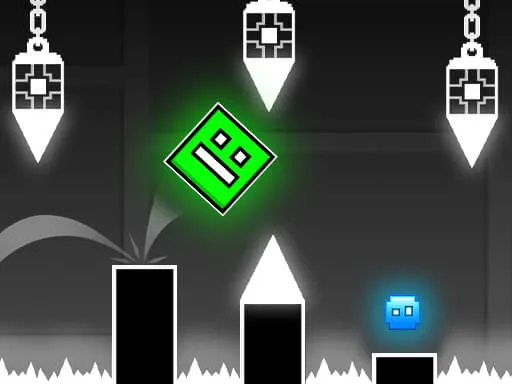
Geometry Platformer is a free online neon action game for players who want more movement than a one-button rhythm runner. Control the cube with WASD, jump with Space, and cross stages filled with spikes, gaps, moving hazards, pendulums, and gravity changes. Its Geometry Dash style pace rewards a fast reaction, but careful observation and pattern memory are just as important.
About Geometry Platformer
The game asks you to manage position before you manage speed. A platform may be safe for one second and dangerous on the next swing of a pendulum. A gravity section can reverse the familiar relationship between floor, ceiling, and jump timing. Because you can move in more than one direction, the best route is often a small adjustment rather than a desperate leap. Each attempt teaches you how much space a hazard needs and where the next landing should be prepared.
Key Features
- Neon platform routes: Bright stages make platforms and hazards visible while keeping the action fast and focused.
- WASD movement and Space jump: Free movement gives you more control than a single-lane runner, but also creates more ways to misjudge a landing.
- Pendulum and gravity hazards: Moving traps and changes in gravity ask you to watch timing instead of relying on one familiar jump rhythm.
- Pattern-based difficulty: Later sections become more manageable when you remember the order of hazards and prepare your position early.
How to Play Geometry Platformer
Use W, A, S, and D to adjust the cube's position, and press Space to jump. Begin by finding a safe platform rather than moving at maximum speed. Watch a pendulum or moving hazard for one cycle before crossing. When gravity changes, immediately identify the new floor and ceiling, then make smaller inputs until the new movement feels predictable. The goal is to combine movement, jump timing, and route memory instead of treating every obstacle as a last-second reaction.
Strategy Tips
- Watch one cycle: For a swinging hazard, wait long enough to understand its rhythm and cross during the opening rather than guessing.
- Reserve landing space: Do not hug the edge of a platform if the next obstacle needs room for a correction or jump.
- Recalibrate after gravity: Use a short movement to learn the new direction before committing to a long jump.
- Remember the order: When a section repeats, focus on the sequence of hazards and start preparing before the danger enters the center of the screen.
Modes, Progression, and Replay Value
Geometry Platformer increases challenge through route complexity rather than relying only on faster movement. Early rooms teach movement and jump timing, while later paths combine a pendulum, narrow platforms, and gravity changes. That creates a satisfying improvement loop: first survive a section, then make the same route smoother and more deliberate.
PC and Mobile Browser Play
Play this free browser game in a current desktop or mobile browser. The embedded game may use keyboard, mouse, or touch input depending on the title, so click or tap inside the game frame once before starting. A stable connection helps external game files finish loading, while fullscreen mode can make fast obstacles, aiming lines, and small targets easier to read. Performance can vary with the browser, device, and network.
Frequently Asked Questions
What are the controls? Use WASD to move and Space to jump.
Is Geometry Platformer related to Geometry Dash? It is a separate browser platformer with a similar neon, obstacle-focused style and fast retry feeling.
How should I handle gravity changes? Identify the new floor and ceiling first, then use short inputs to recalibrate before attempting a long jump.
Can I play without a download? Yes. The game runs in a modern browser on the game page.