
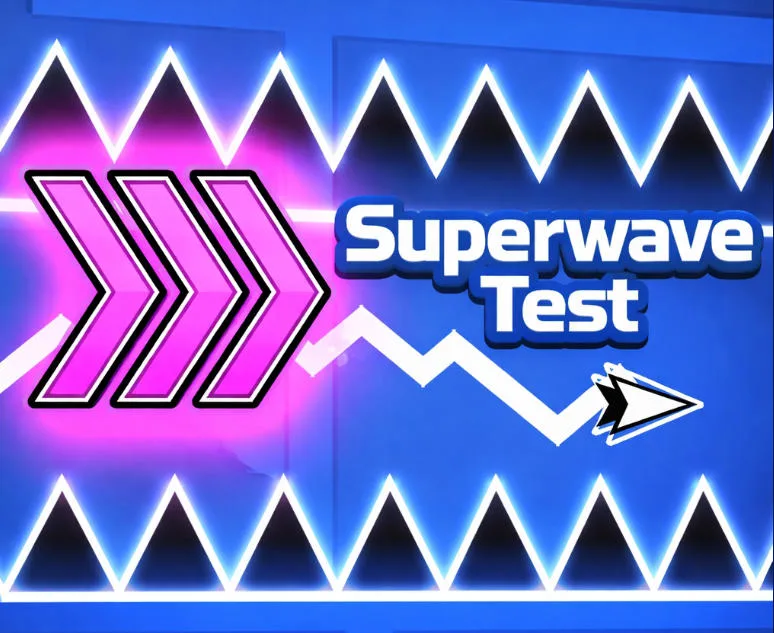
Superwave Test
Play Superwave Test Online for Free
Superwave Test is a free online Geometry Dash style practice game focused on one skill: precise wave control. Click or tap to rise, release to fall, and guide a zigzag shape through narrow geometric corridors. The visual language is clean, but the available space is small enough that inconsistent rhythm quickly becomes a collision.
About Superwave Test
The challenge is about maintaining a repeatable movement rhythm while adapting to the corridor ahead. Holding the input changes the wave's height, and releasing starts the fall; alternating the two creates the characteristic diagonal pattern. Unlike a long level that depends on memorizing a huge route, Superwave Test concentrates on spacing, correction, and control. You can use it as a focused warm-up before other wave games or as a precision score challenge by itself.
Key Features
- Pure wave practice: The game removes unnecessary mechanics and puts the relationship between input rhythm and trajectory in the center.
- Narrow geometric corridors: Small gaps make early corrections more valuable than late panic movements.
- Click and release control: Rising and falling are easy to understand, while the correct alternation takes practice.
- Adaptation over button mashing: The next space can change, so players must read ahead and adjust the wave rather than repeat a fixed tempo blindly.
How to Play Superwave Test
Click or tap to move the wave upward, then release to let it descend. Repeat the pattern while watching the corridor's width and angle. Start with a comfortable rhythm and make small corrections before the wave reaches a wall. If the passage narrows, avoid a large last-second change; an early, shorter input usually leaves more room for the next diagonal. Keep the game frame active so the input timing is not interrupted by page scrolling.
Strategy Tips
- Use consistent pulses: A repeatable press-and-release rhythm is more useful than reacting with a different input length every time.
- Read the next opening: Look beyond the current corner and begin correcting before the narrow section reaches the wave.
- Prefer small corrections: Large movements are difficult to undo inside a tight corridor, so change height in controlled steps.
- Reset after a collision: Do not carry frustration into the next attempt. Rebuild the rhythm from the first safe section.
Modes, Progression, and Replay Value
Superwave Test has a compact, skill-first loop. Progress is measured by cleaner diagonals, longer survival, and the ability to adapt when the corridor changes. It is useful for a short Geometry Dash wave warm-up, but the narrow spaces also make it satisfying for players who want to practice precision without a long story or upgrade system.
PC and Mobile Browser Play
Play this free browser game in a current desktop or mobile browser. The embedded game may use keyboard, mouse, or touch input depending on the title, so click or tap inside the game frame once before starting. A stable connection helps external game files finish loading, while fullscreen mode can make fast obstacles, aiming lines, and small targets easier to read. Performance can vary with the browser, device, and network.
Frequently Asked Questions
How do I control Superwave Test? Click or tap to rise, and release to fall. Alternate the two actions to create a zigzag path.
Is this an official Geometry Dash game? No. It is a separate browser practice game with a Geometry Dash style wave challenge.
Why do I hit the wall even when my rhythm feels right? The corridor may be changing. Start correcting earlier and use shorter pulses near narrow sections.
Can I play on mobile? Touch input works on compatible mobile browsers.