
Tap Out Block Escape
Play Tap Out Block Escape Free Online
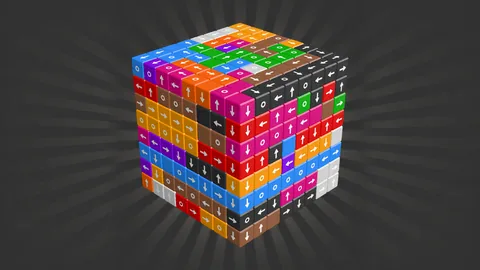
Tap Out Block Escape is a 3D arrow block puzzle where the order of every move matters. The board is built from cubes with arrows that show the direction each block wants to leave. You can tap a block only when the path ahead is free. Rotate the 3D shape to inspect hidden sides, remove safe cubes, and gradually open the structure until no blocks remain.
This free online block escape game looks simple at first because the rule is easy to describe. The challenge comes from depth. A block may appear open from one angle while another cube is blocking its route on the far side. The correct move is often found by rotating the model, checking the full arrow path, and thinking about which removal will expose several new options.
See the Whole 3D Shape
A flat view is not enough for a 3D block puzzle. Drag the board to rotate the model and inspect front, side, top, and partially hidden surfaces. Use the remaining-block count as a progress signal, but do not let a low count make you rush. The last few cubes can be the most restricted because they depend on one carefully chosen opening.
Each arrow is a directional clue and a dependency. If a block points toward a neighboring cube, it must wait. If the route continues through open space, it may be safe to tap. Removing one block can change the shape and create a new exit for another, so re-check the structure after every successful move.
Main Features
- 3D cube structure: Rotate the model to inspect hidden faces and blocked routes.
- Arrow-based removal: Tap only the blocks whose directions have a clear path.
- Remaining-block counter: Track how close you are to clearing the entire shape.
- Helpful tools: Use the hammer, zoom, or pause controls when the game provides them.
- Careful puzzle progression: Later shapes require more rotation, dependency reading, and order planning.
- Touch-first interaction: Tap to remove and drag to inspect the 3D board.
How to Play Tap Out Block Escape
Tap a cube only when its arrow points through an unobstructed route. Drag the board to rotate it and see whether another block is hidden behind the visible face. When a cube is removed, pause for a moment and inspect the new outline before selecting another. If the view is too close or a side is hard to read, use the zoom control when available.
A hammer can help with a difficult block if the game makes that tool available, but try to understand the dependency first. The pause control is useful when you need to examine a dense arrangement without losing your place. On desktop, mouse dragging can rotate the model; on touch screens, drag slowly so the board turns instead of selecting an unintended cube.
Tap Out Block Escape Strategy Tips
- Rotate before tapping: Check at least two angles when an arrow seems close to a clear route.
- Start with free exits: Remove cubes whose arrows already point into open space to create more room.
- Follow dependencies: If a block is pointed at another cube, identify what must move first.
- Re-scan after every removal: The 3D silhouette changes and can reveal a new safe direction.
- Save tools for dense shapes: Use the hammer or hint-like assistance when only a few blocked cubes remain.
Why the Endgame Is Hard
The early board teaches the difference between a visible arrow and a truly clear path. Later arrangements add depth and overlap, which means the safest move may be hidden behind the face you are currently viewing. The endgame often has fewer blocks but more dependency, so a single unnecessary tap can leave the remaining shape difficult to solve.
Tap Out Block Escape rewards calm observation. There is no benefit to tapping several cubes at random. Clear one route, rotate the model, and let the changing silhouette show you the next decision. Players who enjoy 3D matching, unblocking games, and spatial reasoning can keep replaying levels to find the order that feels most efficient.
Browser Play on PC and Mobile
Play this free 3D block puzzle in a current browser. Click or tap inside the game frame before interacting with the board. Use a larger screen when you need to inspect a complicated shape, and keep the pointer or finger movement deliberate around small cubes. If the mobile layout shows different tool buttons, follow the labels and feedback provided by the game.
Frequently Asked Questions
What is the goal? Remove every arrow cube from the 3D structure.
When can I tap a block? Tap it only when the arrow points along a path with no block in the way.
How do I inspect hidden blocks? Drag the board to rotate the 3D view, and use zoom when the game provides it.
What does the hammer do? It is an available assistance tool for difficult blocks when shown by the game.
Can I pause the puzzle? The game includes a pause control in its available interface.