Draw Wire
Draw Wire
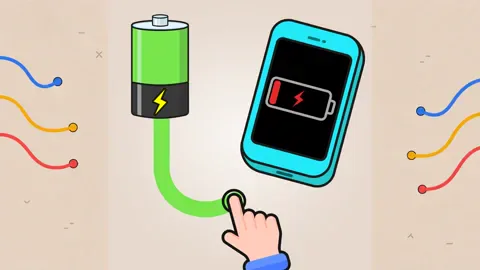
Draw Wire is a connection puzzle about completing circuits between batteries and electrical devices. Each source and destination has a colored terminal; draw a wire from one matching color to its partner, then repeat until the board's required connections are complete. The interaction is simple, but the placement of the endpoints means you need to inspect the whole board before choosing which wire to draw first.
The game has more than 50 stages. Early layouts introduce the color-matching rule with a small number of connections, while later boards ask you to distinguish several pairs at once. Hints and a restart control are available when a line is difficult to work out, so you can test a route and reset without losing track of the objective.
Trace Each Pair Across the Board
Begin by identifying every battery terminal and the device terminal with the same color. Do not start drawing immediately. First compare the pairs and notice which endpoints are close together, which sit near an edge, and which appear to require a longer route. This quick scan helps keep one connection from obscuring your view of another.
Drag from a colored terminal toward its matching endpoint and release when the line reaches the target. A completed connection should be visibly accepted by the board. Repeat the process for the remaining colors; finishing every required pair clears the stage and advances the puzzle.
Keep the Route Easy to Read
When several wires are present, work from the more constrained pair to the more flexible one. A pair near a corner may have fewer comfortable routes than a pair near the center. Completing the awkward connection first can leave the remaining terminals easier to follow.
If the line does not register, check that you began at a terminal rather than beside it and ended on the matching color. On a touch screen, keep your finger down through the drag and lift it only at the destination. On desktop, slower mouse movement makes it easier to stop precisely on a small endpoint.
Use Hints and Restarts as Puzzle Tools
A hint is most useful after you have identified the available pairs and tried to reason through one difficult route. Compare the suggested connection with the board, then use that clue to solve the next pair yourself. This preserves the logic challenge while helping you move past a confusing layout.
Restart when the current attempt has become hard to interpret. Before trying again, choose a different order and watch how each finished line changes the space around the other endpoints. The goal is not to draw quickly; it is to make every required connection clearly and reliably.
Draw Wire FAQ
What connects to what? Connect each battery's colored terminal to the electrical device terminal with the same color.
How many stages are there? The game provides more than 50 stages, beginning with simple connections and increasing the routing challenge.
What if I draw the wrong wire? Use the available restart control to reset the current board, or consult the hint when you cannot identify a route.
Does the game support phones? Yes. Drag a line with touch controls on a supported phone or tablet.